Who is this switch best for?
- Office LAN expansion
- CCTV and IP camera networks
- WiFi access point connectivity

Works with standard Ethernet networking equipment including routers, computers, IP cameras, access points and servers. Confirm port, PoE and mounting requirements before purchase.
Check the product label or manufacturer datasheet for exact input voltage, power adapter and PoE requirements.
The Ubiquiti UniFi Switch Aggregation, model USW-Aggregation, provides high-speed connections between switches, servers, storage systems and compatible gateways. It is designed for networks where several devices or access switches need a faster path to shared resources.
Unlike an ordinary eight-port desktop switch, this model uses eight SFP+ interfaces supporting 10Gbps or 1Gbps connections. It has no built-in RJ45 Ethernet ports and does not supply PoE power.
Its role is to bring high-bandwidth network connections together, making it suitable for business equipment racks, server rooms, creative workspaces and advanced home networks. Tech Specs
Request the current Ubiquiti UniFi Switch Aggregation price in Kenya from Network Switch Kenya, including compatible connection accessories and installation requirements.
The USW-Aggregation is a managed Layer 2 switch administered through the UniFi Network application. It can serve as a central connection point for equipment that supports suitable SFP or SFP+ links.
For example, several access switches can connect to it alongside a storage server and an upstream gateway. Traffic still follows the network’s configured paths, but faster interconnections can reduce congestion caused by slower shared links.
This is the USW-Aggregation, not the larger Pro Aggregation model. Confirm the complete product name before ordering, as their interface counts and capabilities differ.
Specifications follow Ubiquiti’s current technical information. Tech Specs
A shared connection can become congested when several users access resources simultaneously. A suitably configured 10Gbps link provides more capacity than a Gigabit connection along that part of the network.
This is particularly useful between access switches and central resources. It does not increase the speed of an endpoint whose own connection remains limited to Gigabit Ethernet.
Centralized UniFi AdministrationManaging the switch through UniFi Network helps administrators maintain a consistent configuration alongside other supported UniFi equipment.
The management platform and the switch are separate components. Plan where UniFi Network will run and who will maintain administrative access, backups and software updates.
Flexible Connection AccessoriesSFP+ interfaces support different connection approaches when used with compatible accessories. The right choice depends on distance, existing cabling and the equipment at the opposite end.
A short connection within a rack may use a suitable direct attach cable. A link across a building may need optical modules and the appropriate fiber.
Traffic SeparationA planned VLAN configuration can carry different networks across shared infrastructure.
For example, staff, guest and surveillance traffic may travel over the same physical uplink while remaining logically separated. Routing, DHCP and access policies must also be configured on the appropriate upstream equipment.
Link AggregationLACP can combine compatible physical links into a logical group, providing additional capacity for multiple traffic flows and resilience if a member link fails.
Two 10Gbps connections do not automatically make one file transfer run at 20Gbps. Traffic distribution depends on the participating equipment and aggregation behavior. Ubiquiti notes that the principal throughput benefit appears when multiple clients or flows use the aggregated connections. Ubiquiti Help Center
Connect access switches to a central distribution point where the equipment and traffic requirements justify faster links.
This can help avoid concentrating several busy switches onto one slower connection.
Servers and Shared StorageConnect appropriately equipped servers or storage systems. The benefit depends on their network adapters, storage performance and workload.
A fast switch cannot compensate for a server limited by disk speed, processing capacity or its own interface.
Creative WorkspacesVideo editors, designers and photographers often share large local files. Faster connections to shared storage can improve aggregate capacity when several users work simultaneously.
Workstation connections must also support the intended performance.
Advanced Home Networks and LabsThe switch can support learning, virtualization and local storage projects involving compatible high-speed equipment.
For a simple network of computers and printers, an ordinary Gigabit access switch may be more practical.
Multi-Switch UniFi InstallationsAn aggregation switch can bring several network sections together. Avoid making it the only consideration in a resilience plan: power, upstream equipment and physical connection paths also affect availability.
Each connection needs compatible accessories at both ends.
Connection methodWhat to checkDirect attach cableCompatibility, length and supported speedMultimode fiberModule type, fiber category, connectors and distanceSingle-mode fiberWavelength, link distance and optical compatibilityRJ45 transceiverExplicit switch support, power, heat and cable-distance limitsDo not assume all eight slots can be populated with any chosen copper transceiver. Verify the exact module’s compatibility and deployment limits before ordering.
Fiber modules and direct attach cables should be included in the installation quotation rather than treated as incidental accessories.
For an alternative high-speed optical platform, compare the MikroTik CRS309-1G-8S+IN at MikroTik Kenya.
All eight interfaces can be allocated according to the topology. There is no separate data port reserved exclusively for an upstream connection.
Example allocationInterfaces usedOne gateway, four access switches and one server6Two servers, one storage system and four access switches7Four connections using two physical links each8These examples illustrate physical capacity, not guaranteed supported designs. Check aggregation compatibility, traffic patterns and the role of each connected device.
List every connection, required speed, cable distance and VLAN.
Identify which device provides routing, DHCP and firewall policies. Decide whether links will remain independent or form supported aggregation groups.
Prepare a clear port plan before installation.
2. Prepare UniFi NetworkUse a supported UniFi Network deployment and confirm compatibility with the switch firmware.
Create or select the correct site. Keep ownership under the business’s authorized account and grant installers suitable permissions.
Back up an existing site before significant changes.
3. Mount and Power the SwitchInstall the switch in a suitable rack using the supplied mounting arrangement. Keep connections accessible and provide adequate ventilation.
Connect the correct AC power cable. For backup operation, size a UPS for the switch and other equipment needed to maintain service.
4. Install One Initial Network ConnectionUse a compatible SFP/SFP+ module or cable to connect the switch to the management network.
Because there is no built-in RJ45 port, plan this initial connection before installation. Confirm that the far-end equipment supports the selected accessory and speed.
Start with one upstream path.
5. Discover and Adopt the SwitchEnsure that the switch can reach the UniFi Network application through the intended management network.
Open the device list, identify the new switch and complete adoption. If it belongs to another deployment, arrange an authorized migration or release.
Do not factory-reset an installed device without preserving its configuration and confirming the consequences.
6. Establish Management SettingsAssign a recognizable name and document the management address.
If moving management onto a dedicated VLAN, first verify that the VLAN, addressing service and path to UniFi Network work correctly. Apply changes gradually to avoid losing access.
7. Review FirmwareCheck the installed firmware and review the applicable release information.
Schedule updates when an interruption is acceptable. Maintain stable power and allow provisioning or updating to finish before disconnecting equipment.
8. Configure VLANs and Port SettingsSet each connection according to the network plan.
A server may need an untagged network, while an access-switch uplink may carry several tagged networks. Confirm matching settings at the opposite end.
Avoid allowing unnecessary networks across every connection simply for convenience.
9. Configure LACP Where RequiredUbiquiti’s aggregation guidance specifies LACP rather than static LAG, sequential member ports and configuration beginning at the downstream device before moving upstream. Confirm that the connected equipment supports the intended arrangement. Ubiquiti Help Center
Add redundant physical connections only after the configuration is ready. Incorrect parallel links can disrupt the network.
10. Verify Link SpeedsCheck that each interface establishes the intended speed.
If a link does not appear, inspect module compatibility, fiber polarity, connectors and the far-end configuration. Do not assume a cable with the correct connector supports the required link.
11. Test Real ApplicationsTest representative traffic rather than relying only on an internet speed test.
Check storage access, simultaneous workstation activity and communication across the intended network segments. Monitor errors and unexpected link changes.
12. Back Up and DocumentRetain a UniFi Network backup and record port assignments, VLANs and accessory models.
Label both ends of each connection. Keep administrative recovery details securely available to authorized staff.
If you need ordinary Ethernet connections alongside faster uplinks, compare the MikroTik CRS310-8G+2S+IN at MikroTik Kenya, confirming its exact interface specifications.
For powered endpoint connections, review the UniFi Pro 8 PoE at Ubiquiti UniFi Kenya. It serves a different role from a dedicated optical aggregation switch.
For basic wired expansion, assess the TP-Link 8-Port Gigabit Switch at Orbitlink Solutions or the D-Link DGS-108 at Tawa.
For surveillance requiring Ethernet-delivered power, compare the Dahua Fast Ethernet PoE Switch at Reisen SEO, checking its exact model and power requirements.
Confirm the quotation includes the correct power cable and rack-mounting accessories.
Specify transceivers, direct attach cables, fiber leads, cable management and installation services separately unless expressly included. Also confirm warranty coverage and the management platform required.
No. It has eight SFP+ interfaces, requiring compatible connection accessories.
Can it power cameras or access points?No. It does not provide PoE output.
Does it provide routing between VLANs?It is a Layer 2 switch. Use suitable routing equipment for communication between network segments.
Can it work with equipment from other brands?Yes, where interfaces, accessories and network protocols are compatible. Verify advanced functions separately.
Does combining two links double one download’s speed?Not automatically. Aggregation principally benefits suitable multiple-flow traffic and can provide link resilience.
Are SFP+ modules included?Do not assume so. List the required accessories explicitly in the quotation.
Contact Network Switch Kenya for a quotation on the Ubiquiti USW-Aggregation 8-Port 10G SFP+ Switch. Share the connected equipment, cable distances and intended link speeds to confirm suitable accessories and configuration.
Ubiquiti UniFi Switch Aggregation 8-Port 10G Price in Kenya is currently listed as available. Stock can change, so confirm availability before placing a large order.
The current listed price is KSh 64,000.00. Prices are generated from the product catalogue and may change when inventory is updated.
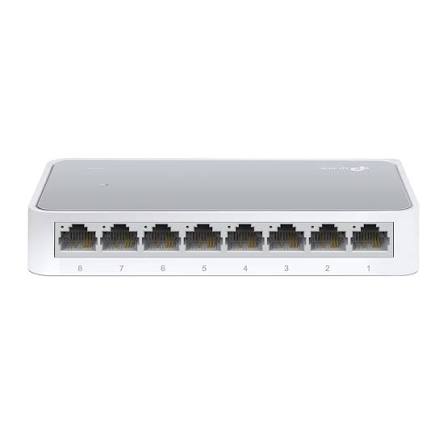
TP-Link
8-Port | Fast Ethernet | Unmanaged
In Stock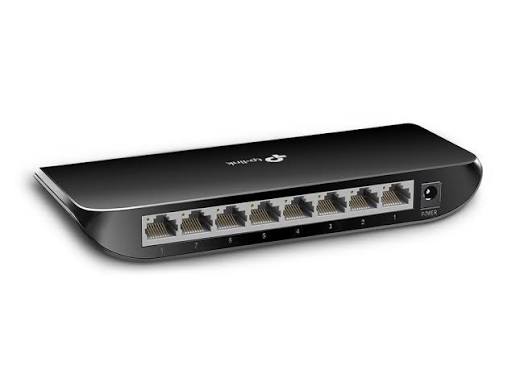
TP-Link
8-Port | Gigabit | Unmanaged
In Stock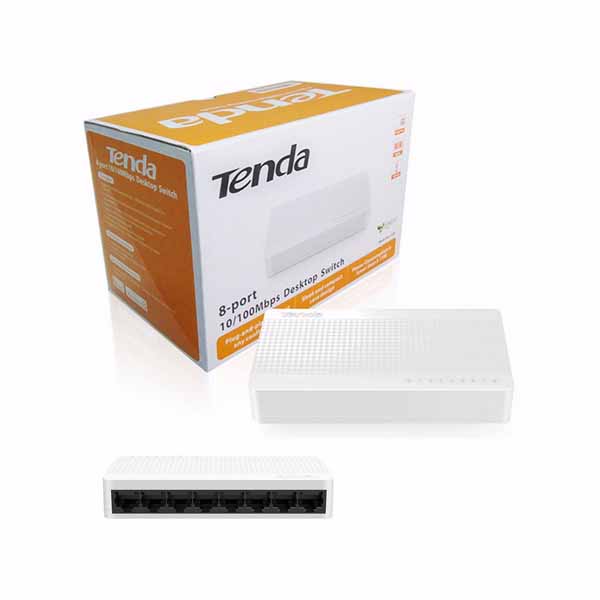
Tenda
8-Port | Fast Ethernet | Unmanaged
In Stock
D-Link
8-Port | Gigabit | Unmanaged
In Stock