Who is this switch best for?
- Office LAN expansion
- CCTV and IP camera networks
- WiFi access point connectivity
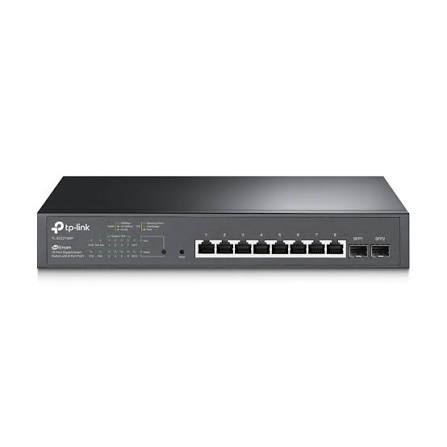
Works with standard Ethernet networking equipment including routers, computers, IP cameras, access points and servers. Confirm port, PoE and mounting requirements before purchase.
Check the product label or manufacturer datasheet for exact input voltage, power adapter and PoE requirements.
The TP-Link TL-SG2210MP is a managed Gigabit switch for offices, shops, schools and CCTV installations that need a small number of powered network connections.
Its ten interfaces comprise eight Gigabit PoE+ RJ45 ports and two Gigabit SFP slots. The optical interfaces provide additional connection options without occupying a powered access port. Its 150W shared PoE budget supports compatible cameras, access points and IP phones within their combined power requirements. TP-Link Australia
The switch supports standalone administration and compatible Omada management arrangements. It suits installations needing more control than an unmanaged switch provides.
Contact Network Switch Kenya for a quotation covering the TL-SG2210MP, accessories and installation requirements.
Confirm:
Browse networking equipment at Network Switch Kenya when preparing the installation.
You can also explore TP-Link switches at Orbitlink Solutions and TP-Link equipment at Tawa, checking each model’s specifications independently.
PoE simplifies installation by carrying network traffic and compatible-device power through one cable. This is useful for access points and cameras positioned away from electrical sockets.
Verify the receiving device’s required power standard. Equipment needing PoE++ or passive power requires a separately assessed arrangement.
Gigabit Access ConnectionsThe copper interfaces support capable endpoints while accommodating older Ethernet equipment.
Actual performance depends on endpoint interfaces, cable quality and uplink usage. A Gigabit connection does not guarantee that every application can use its full capacity.
Separate Optical ConnectionsSuitable SFP modules provide fibre-link options. Select them around fibre type, distance, wavelength and remote equipment.
The slots are Gigabit-class interfaces, not 10Gbps SFP+ uplinks.
Managed Traffic ControlsVLANs, QoS, monitoring and other supported controls can help organize a small business network. Settings should be planned around the actual connected services.
Omada IntegrationA compatible controller can centralize administration alongside other adopted Omada equipment. Standalone management remains an option where a controller is unnecessary.
Controller compatibility varies by hardware version, particularly for Omada Cloud-Based Controller support.
Watch the supplied TP-Link TL-SG2210MP product video on YouTube
Specifications follow TP-Link’s TL-SG2210MP documentation. Confirm the hardware version supplied; do not automatically substitute specifications for the newer SG2210MP model. TP-Link Australia
The available power is shared across all powered devices.
Illustrative loadCombined demandPlanning resultEight devices requiring 10W each80WLeaves useful operating marginSix devices requiring 20W each120WLeaves some marginFive devices requiring 30W each150WUses the stated budgetEight devices requiring 30W each240WExceeds the budgetUse maximum requirements, including camera infrared illumination and startup demand where relevant. Cable losses also need consideration.
Leave practical margin rather than designing around the exact headline limit. Total electrical consumption is higher than the power delivered to devices, which matters when selecting a UPS.
Check the hardware label and current compatibility information before choosing a controller.
TP-Link’s documentation specifically excludes TL-SG2210MP V2 from Omada Cloud-Based Controller support while identifying supported versions separately. This should not be confused with declaring V2 incompatible with every Omada management arrangement. TP-Link India
Match the switch, firmware and intended controller before deployment.
Connect compatible phones, access points and wired equipment, with network settings coordinated through the gateway.
Shops and Service BusinessesProvide a small distribution point for cameras and wireless infrastructure. Calculate power and traffic requirements together.
Schools and Training CentresServe a department or administration area requiring manageable powered connections.
CCTV InstallationsConnect compatible cameras to a separate recording system. Recorder channel capacity and bandwidth remain separate considerations.
Explore the supplied MikroTik Kenya catalogue when assessing routers for gateway services.
The TP-related search at Ubiquiti UniFi Kenya is another supplied catalogue link to browse. Confirm the exact product and management platform before selecting complementary equipment.
For a small switching point without powered outputs, review the MikroTik RB260GS at Network Switch Kenya.
Check the full model, hardware version and supplied documentation. Record the serial number.
Use matching firmware and controller compatibility information.
2. Plan Connections and PowerList each endpoint, maximum PoE demand and intended network.
Keep the combined load within the verified budget with margin. Allocate the optical interfaces and access ports before installation.
3. Position or Mount the SwitchUse a stable surface or the supplied rack arrangement. Allow ventilation and cable clearance.
Consider fan noise when choosing its location.
4. Connect PowerUse the supplied cord and an appropriate grounded supply.
If using a UPS, calculate total consumption and required runtime rather than relying only on the PoE budget.
5. Select ManagementFor standalone use, follow the supplied guide to access the local interface.
For Omada use, prepare a compatible controller and verify support for the hardware and firmware.
6. Secure AccessConnect one uplink initially. Identify the switch using the documented discovery or access method.
Set strong credentials and an appropriate management address. Record the settings before changing networks.
7. Adopt Where RequiredComplete adoption through the supported controller.
Preserve records before transferring an existing standalone installation, since controller provisioning can affect its settings.
8. Configure VLANs and PortsPlan access-port settings, tagged uplinks and management access before applying restrictions.
Coordinate with the router and other equipment. Preserve a working management path during changes.
9. Add PoE Devices GraduallyConnect verified compatible devices one at a time. Check operation and power usage.
Investigate cabling, compatibility and budget limits if a device repeatedly restarts.
10. Install Optical LinksUse suitable SFP modules and matching fibre leads. Verify the remote equipment’s optical requirements and link rate.
11. Test and DocumentRun the intended applications together. Review power consumption, errors and uplink traffic.
Save backups and document port assignments and management details.
TP-Link’s documentation lists the switch, power cord, installation guide, rack-mount kit and rubber feet.
Confirm the seller’s package. SFP modules, cables and any controller should be quoted separately. TP-Link United Arab Emirates
No. It has eight RJ45 ports and two SFP slots.
Can all eight ports provide PoE?Yes, with compatible devices and within the shared budget.
Does it require a controller?Standalone management is available. A compatible controller is needed for centralized Omada administration.
Does it provide Wi-Fi?No. Connect suitable wireless access points.
Does it record CCTV footage?No. Use a separate recording system.
Contact Network Switch Kenya for a quotation. Include device quantities, maximum power demand and management requirements so the installation can be assessed.
TP-Link TL-SG2210MP JetStream 10-Port Gigabit Smart PoE+ Switch Price in Kenya is currently listed as available. Stock can change, so confirm availability before placing a large order.
The current listed price is KSh 13,000.00. Prices are generated from the product catalogue and may change when inventory is updated.
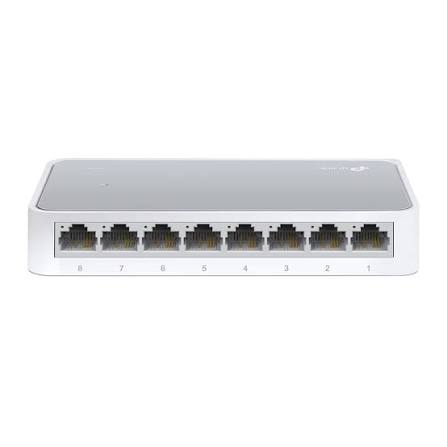
TP-Link
8-Port | Fast Ethernet | Unmanaged
In Stock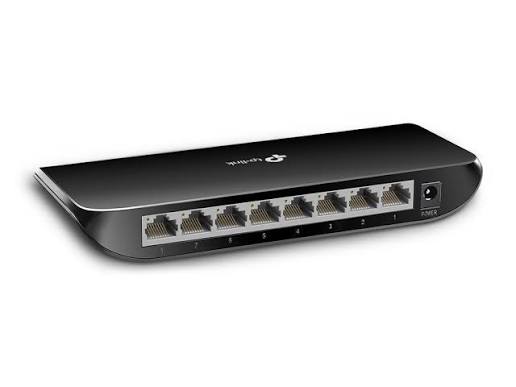
TP-Link
8-Port | Gigabit | Unmanaged
In Stock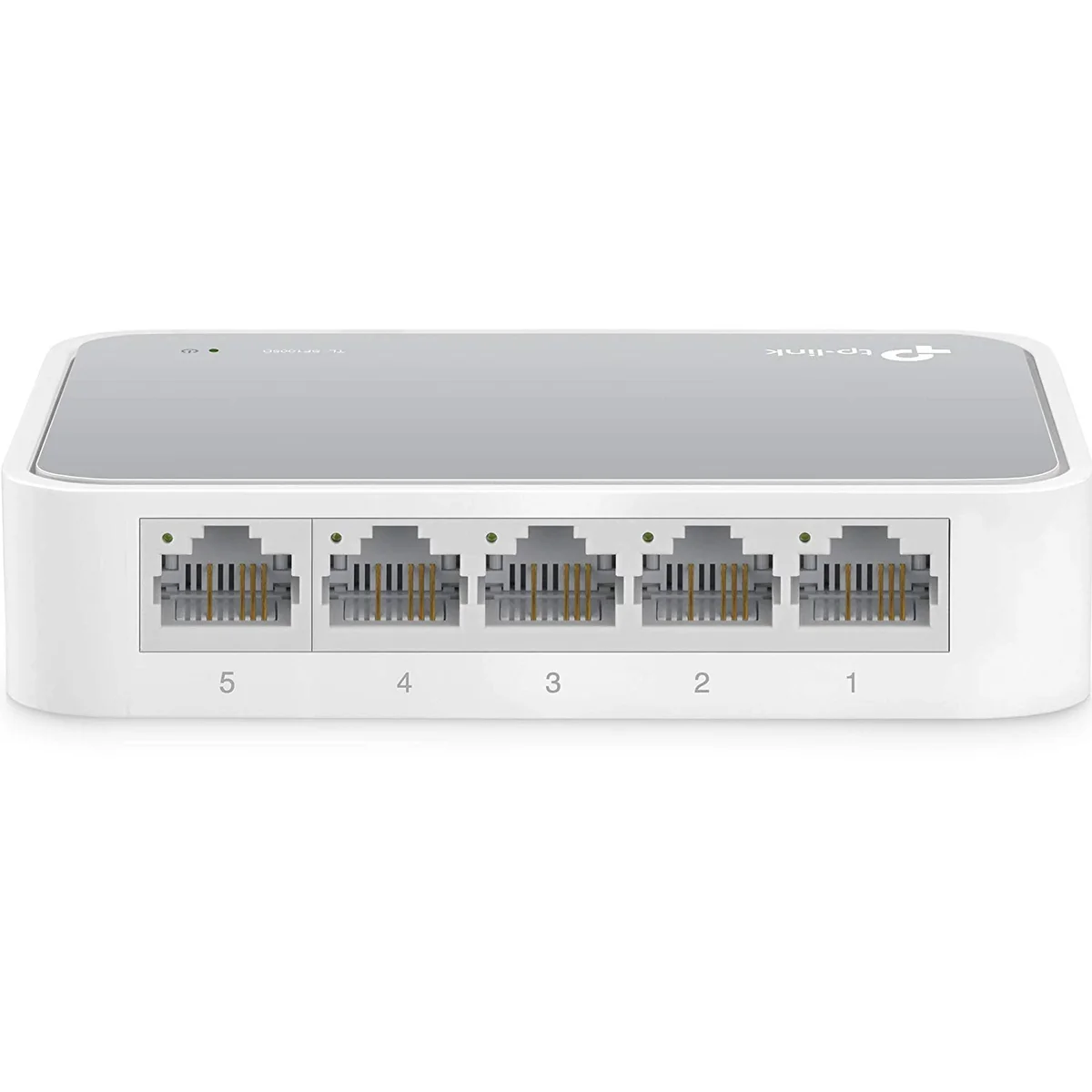
TP-Link
5-Port | Fast Ethernet | Unmanaged
In Stock
TP-Link
5-Port | Gigabit | Unmanaged
In Stock