Who is this switch best for?
- Office LAN expansion
- CCTV and IP camera networks
- WiFi access point connectivity
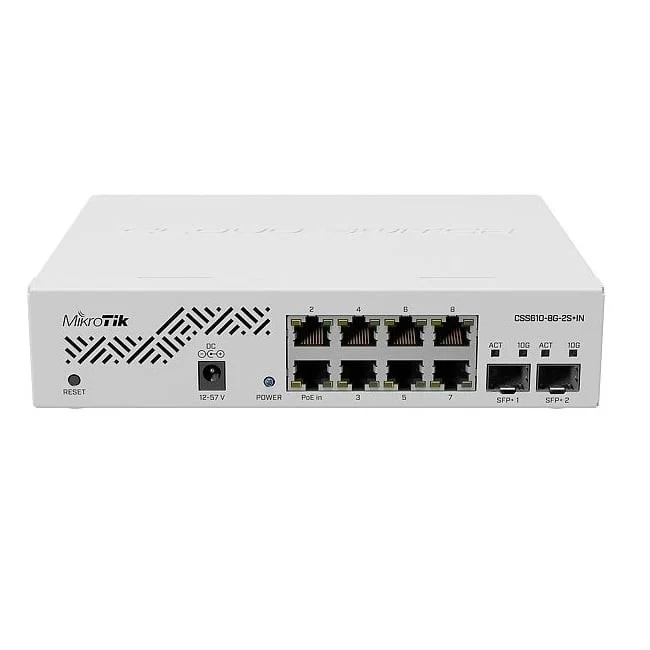
Works with standard Ethernet networking equipment including routers, computers, IP cameras, access points and servers. Confirm port, PoE and mounting requirements before purchase.
Check the product label or manufacturer datasheet for exact input voltage, power adapter and PoE requirements.
The MikroTik CSS610-8G-2S+IN combines Gigabit connections for everyday equipment with faster uplinks for servers, storage or an upstream switch. It is a practical option for offices, home labs, creative workspaces and smaller business networks that need managed switching without a large chassis.
The switch provides eight Gigabit Ethernet ports and two additional 10Gbps SFP+ interfaces, giving you ten data connections in total. Its browser-based SwOS Lite operating system provides switching controls while keeping administration focused on the local network. CSS610-8G-2S+IN
Request the current MikroTik CSS610-8G-2S+IN price in Kenya from Network Switch Kenya, including compatible uplink accessories and installation requirements.
The CSS610-8G-2S+IN suits installations where computers and other endpoints use Gigabit Ethernet, but their combined traffic needs a faster connection upstream.
For example, several workstations can connect through copper Ethernet while an appropriately equipped server or distribution switch connects through SFP+. This helps avoid forcing all upstream traffic through a single Gigabit connection.
This model has passive PoE input but does not provide PoE output. It can receive power through its first Ethernet port using a compatible source; it cannot power cameras, phones or access points from its Ethernet connections.
It also runs SwOS Lite only. It does not run RouterOS or provide RouterOS routing, VPN, firewall or HotSpot services. MikroTik Documentation
Hardware specifications follow MikroTik’s product information. CSS610-8G-2S+IN
The SFP+ interfaces are useful when several devices share access to an upstream network or suitably equipped storage system.
A faster uplink does not make an individual copper connection operate above Gigabit speed. Its main benefit is additional capacity for traffic crossing that uplink.
Results depend on the connected equipment, selected modules or cables, storage performance and application workload.
Dedicated Uplinks Preserve Copper PortsUsing an SFP+ interface upstream leaves all eight copper connections available for endpoint equipment.
This provides flexibility when connecting workstations, printers and other ordinary Ethernet devices while retaining separate connections for network infrastructure.
Browser-Based Switching ControlsSwOS Lite provides controls for VLANs, port isolation, traffic mirroring and other switching functions. MikroTik also documents RSTP, static aggregation, LACP and IGMP snooping in the CSS610 series manual. MikroTik Documentation
These functions can help organize a network, but they require a compatible design across connected routers, switches and access points.
Flexible Power PlacementThe alternative power inputs can simplify installation where one method is more convenient than the other.
Passive PoE requires careful compatibility checking. Do not assume that a standard IEEE PoE switch or injector will power the CSS610 correctly merely because both products use the term “PoE.”
Use the manufacturer-approved adapter for the simplest initial installation.
Quiet OperationFanless cooling makes the switch convenient near desks and in quieter equipment areas.
It still needs ventilation. Transceivers and other attached accessories can affect heat and power consumption, so avoid tightly enclosed placement.
Connect workstations and printers while using a faster upstream connection where the wider network supports it.
An appropriate router remains responsible for internet access and any required firewall policies.
Home LabsConnect servers, test equipment and ordinary clients in a compact managed network. The switch is useful for learning switching concepts without assuming RouterOS functionality.
Shared StorageAn appropriately equipped storage server can benefit from a faster connection when several users access it simultaneously.
Storage drives, server processing and application behavior may become the next bottlenecks.
Creative WorkspacesVideo, photography and design teams often move large local files. A suitable uplink can improve shared capacity, while each workstation remains limited by its own connection.
Network DistributionThe switch can provide a small connection point between Gigabit endpoints and faster upstream equipment.
Confirm optical compatibility and link capacity before using it as part of a larger network.
An SFP+ slot needs a compatible connection accessory. The correct choice depends on the equipment and distance.
Connection approachTypical considerationDirect attach cableCheck compatibility, supported length and connector requirements at both endsMultimode fiberMatch modules, fiber category, connectors and distanceSingle-mode fiberMatch wavelengths, optical requirements and link distanceCopper transceiverCheck explicit compatibility, heat and power requirementsDo not assume that every transceiver or cable with an SFP+ connector is suitable.
When comparing alternatives, the UniFi Pro 8 PoE at Ubiquiti UniFi Kenya serves a different combination of power and management requirements. Assess its complete interface arrangement rather than comparing only the number of copper ports.
List the endpoints, uplinks, management address and any required VLANs.
Identify devices needing separate power. Prepare tested Ethernet cables and compatible SFP+ accessories.
For an existing network, document the intended changes before connecting the switch.
2. Mount and Power the SwitchUse a stable desktop location or install the supplied rack hardware according to the installation guide.
Keep the unit dry and ventilated. Connect the approved adapter, or a verified compatible passive PoE source through Ethernet port 1.
MikroTik documents desktop and rack installation for this model. MikroTik Documentation
3. Establish Initial Management AccessCheck whether the network’s DHCP server has assigned the switch an address.
For isolated initial setup, connect a computer directly and follow the model’s quick-start instructions. MikroTik documents 192.168.88.1, with 192.168.88.2 also noted in the hardware guide. An example computer address is 192.168.88.3/24.
The documented username is admin. Use the device-label credentials where provided; otherwise follow the factory-login instructions. Set a strong password immediately. MikroTik Documentation
Avoid introducing a default-addressed switch into a network where another device already uses that address.
4. Identify and Secure the SwitchAssign a recognizable device name and a predictable management address.
Restrict administrative access to appropriate addresses, ports or a management VLAN only after confirming that the intended management path works.
Keep a recovery connection available during changes.
5. Update the Correct SoftwareUse the SwOS Lite release intended for the exact model. RouterOS files are not suitable for this switch.
Back up an existing configuration before upgrading and maintain stable power. Review the applicable release instructions instead of assuming every version has identical behavior.
6. Connect One Upstream LinkConnect one copper or SFP+ uplink and verify that it establishes the expected speed.
For optical connections, check the module and fiber requirements at both ends. For a direct attach connection, verify that the cable is supported by both devices.
Begin with one path before adding redundancy or aggregation.
7. Configure VLANs CarefullyFor a segmented network:
Use the VLAN and VLANs controls as described in the CSS610 manual. Incorrect filtering can disconnect both endpoints and the administrator.
VLAN separation also requires suitable upstream routing, addressing and access policies.
8. Configure Aggregation or Loop ProtectionWhere several links are planned between devices, configure compatible settings at both ends before connecting them.
Aggregation distributes suitable traffic across member links; it does not automatically multiply the speed of one transfer. Loop protection should complement a deliberate topology.
9. Connect and Test EndpointsAdd computers, printers, storage and other equipment gradually.
Confirm network addressing, local resource access and internet connectivity where required. Separately configure cameras, phones and access points.
10. Apply Changes and Download a BackupUse the interface’s apply controls and download a configuration backup after successful testing. MikroTik documents backup and restore functions in SwOS Lite. MikroTik Documentation
Retain a port map, management address and record of uplink accessories.
For simpler unmanaged expansion, review the TP-Link 8-Port Gigabit Switch at Orbitlink Solutions, confirming the exact model.
The D-Link DGS-108 Unmanaged Desktop Switch at Tawa is another option where basic connectivity is sufficient.
For surveillance requiring powered connections, compare the Dahua 8-Port Fast Ethernet PoE Switch at Reisen SEO. Its power delivery and endpoint speeds serve different requirements from the CSS610.
You can also explore the MikroTik RB260GS Smart Switch for a smaller installation with different interface needs.
Confirm that the quotation includes the power adapter, rack ears and fastening accessories listed for the product.
Specify SFP+ modules, direct attach cables, fiber leads, Ethernet cables and installation services separately unless expressly included. Confirm product condition and warranty terms before ordering.
No. It accepts passive PoE input but does not provide PoE output.
Can I install RouterOS?No. The CSS610 series supports SwOS Lite only.
Does it have eight or ten data ports?It has eight copper Ethernet ports and two additional SFP+ interfaces.
Will the SFP+ uplinks make a computer’s Gigabit port faster?No. They increase capacity on the uplink connection, while the computer remains limited by its own interface.
Does it replace an internet router?No. Use an appropriate router for internet gateway services and firewall protection.
Are optical modules included?Do not assume so. Specify the required uplink accessories in the quotation.
Contact Network Switch Kenya for a quotation on the MikroTik CSS610-8G-2S+IN. Share your endpoint count, uplink equipment and cable distances to confirm compatible accessories and the right installation plan.
MikroTik CSS610-8G-2S+IN 8-Port Gigabit SFP+ Switch Price in Kenya is currently listed as available. Stock can change, so confirm availability before placing a large order.
The current listed price is KSh 29,000.00. Prices are generated from the product catalogue and may change when inventory is updated.
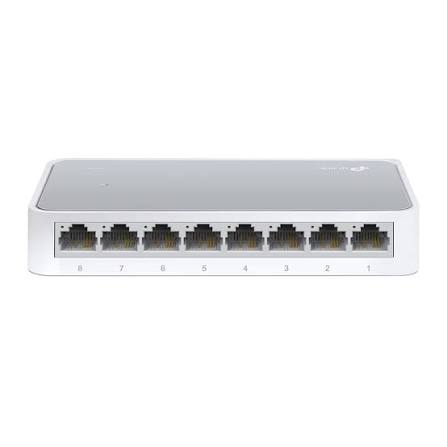
TP-Link
8-Port | Fast Ethernet | Unmanaged
In Stock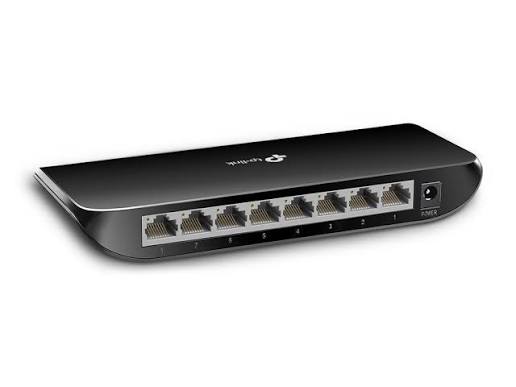
TP-Link
8-Port | Gigabit | Unmanaged
In Stock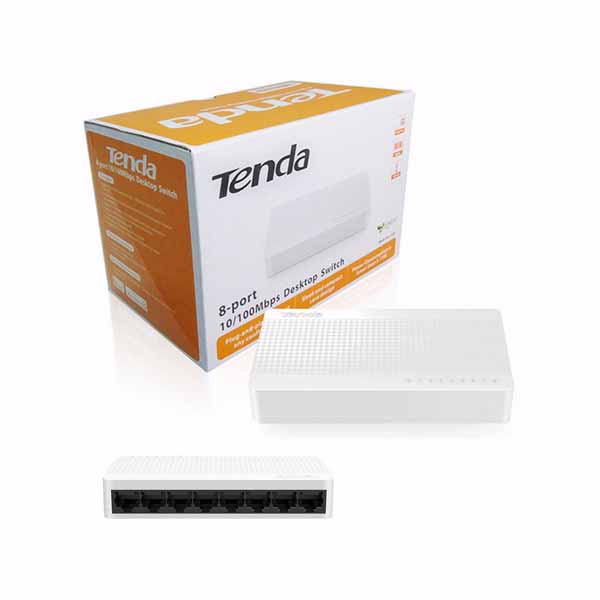
Tenda
8-Port | Fast Ethernet | Unmanaged
In Stock
D-Link
8-Port | Gigabit | Unmanaged
In Stock