Who is this switch best for?
- Office LAN expansion
- CCTV and IP camera networks
- WiFi access point connectivity
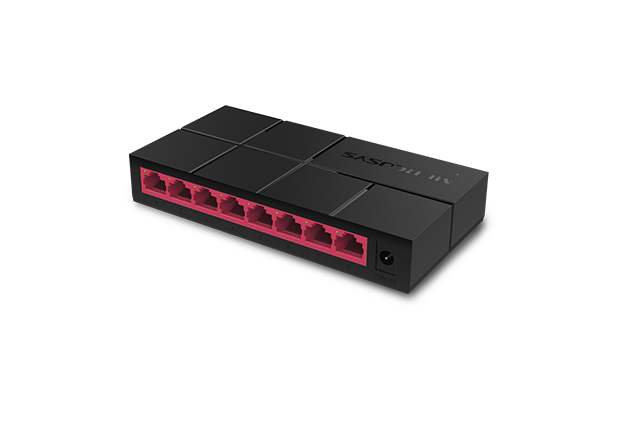
Works with standard Ethernet networking equipment including routers, computers, IP cameras, access points and servers. Confirm port, PoE and mounting requirements before purchase.
Check the product label or manufacturer datasheet for exact input voltage, power adapter and PoE requirements.
The Mercusys MS108G provides a straightforward way to add wired connections to a home office, shop or small business. Its eight Gigabit Ethernet ports connect computers, printers, network storage, smart TVs and other Ethernet equipment to an existing network.
Its unmanaged design keeps installation simple. Connect it to a configured router, attach your devices and continue managing internet access and addressing through the router. The compact desktop format suits locations where additional connections are needed without a full rack installation.
Request a quotation for the Mercusys MS108G from Network Switch Kenya, confirming the hardware version, supplied adapter, warranty and delivery arrangements.
These specifications follow Mercusys’s published MS108G information. Confirm physical details and adapter requirements against the supplied hardware revision. Gigabit connectivity depends on both the connected equipment and the Ethernet cable supporting it. MERCUSYS
The MS108G can expand the connections available from a router or an existing network wall outlet. This is useful when several devices are grouped around a desk, counter or entertainment area.
One upstream connection leaves seven ports for other devices. Include links to additional switches when calculating available capacity.
For a larger installation, compare the TP-Link TL-SG1016D 16-Port Gigabit Switch.
Gigabit Connectivity for Local WorkGigabit Ethernet provides more connection capacity than 100Mbps Fast Ethernet. It can help when transferring files between suitable computers or accessing shared storage.
Actual performance depends on cable quality, storage speed, endpoint capabilities and other network traffic. Installing the switch does not increase internet speed beyond your ISP service.
Straightforward OperationOrdinary switching does not require a management interface, controller adoption or network-management software.
Your router continues handling DHCP addressing, internet access and firewall protection. This suits users whose main requirement is adding Ethernet connections.
If you need configurable VLANs, detailed monitoring or administrative access controls, choose a suitable managed switch.
Compact Desktop PlacementThe small enclosure is convenient for a desk or equipment shelf. Allow space for cable access and avoid placing it where connected leads may be pulled.
Keep the unit away from moisture, excessive heat and tightly enclosed spaces.
Connect computers, a network printer and other Ethernet equipment through one nearby network connection.
Small Shops and Service BusinessesProvide connections for compatible POS equipment, printers and administrative computers. Follow your business-system provider’s requirements for addressing and application access.
Where payment systems and guest devices need enforced separation, use an appropriate managed network design.
Entertainment AreasConnect compatible smart TVs, consoles and streaming devices. Their negotiated speeds depend on their Ethernet interfaces, while downloads and streaming also depend on the internet service.
Shared Storage and Local BackupsConnect Ethernet-equipped storage and computers for local file access. Multiple devices accessing one storage connection share that connection’s available bandwidth.
Assess storage performance and backup requirements before choosing a 1Gbps network.
Cameras and Access Points with Separate PowerThe MS108G can carry data for compatible network cameras and access points, provided they have suitable power arrangements.
For a CCTV installation requiring Ethernet power, review the supplied D-Link DGS-F1010P-E PoE switch listing at Tawa. Confirm its port speeds, power budget and compatibility separately.
For managed networking with PoE, assess the supplied UniFi Pro 8 PoE listing against your installation requirements.
Gather:
Use properly terminated cables with all four wire pairs connected for Gigabit Ethernet. Keep each standard copper Ethernet channel within 100 metres.
2. Check the Model and Power AdapterRead the model and hardware-version label on the switch.
Use the supplied adapter matching the unit’s required voltage, polarity and current rating. Do not substitute an adapter simply because its connector fits.
3. Position the SwitchPlace the unit on a stable surface with room for cable access. Avoid moisture, excessive heat and locations where cables could be pulled accidentally.
For placement inside a cabinet, use a suitable shelf rather than assuming rackmount brackets are included.
4. Connect PowerConnect the correct adapter to the switch and a suitable mains outlet. Check that the power indicator illuminates.
If continued operation during outages matters, include the router and essential connected equipment in your backup-power plan.
5. Connect the Upstream NetworkConnect a router LAN port or a correctly connected Ethernet wall outlet to an available MS108G port.
The router should already provide internet access and, for a typical home or small-office network, DHCP addressing.
The supplied MikroTik hEX PoE lite RB750UPr2 has 10/100Mbps Ethernet ports. An uplink to that router therefore has a maximum link speed of 100Mbps. Suitable devices communicating directly through the MS108G can still use Gigabit connections. cdn.mikrotik.com
For internet services above 100Mbps, assess a router with suitable Gigabit interfaces and routing performance.
6. Connect End DevicesAttach computers, printers, storage systems and other Ethernet equipment to the remaining ports.
Devices requiring PoE need suitable separate injectors or a PoE switch. A PoE-capable upstream router does not make the MS108G’s ports supply power.
7. Confirm AddressingSet computers to obtain IP addresses automatically where the router provides DHCP.
Use DHCP reservations or a suitable static-address plan for equipment requiring consistent addresses. Avoid duplicate IP addresses.
The MS108G does not require a management IP address for ordinary unmanaged operation.
8. Verify Connection SpeedsInspect the negotiated speed in a connected computer’s network settings.
If a Gigabit-capable device connects at only 100Mbps:
Leave automatic negotiation enabled unless a specific troubleshooting requirement justifies changing it.
9. Test ConnectivityConfirm that a computer can reach the router, access the internet and communicate with permitted local equipment.
Use a local file transfer between suitable endpoints when assessing LAN performance. Internet speed tests mainly measure the ISP service and upstream connection.
10. Avoid Cable LoopsDo not connect two switch ports directly together. Avoid duplicate paths between switches unless the network is designed to support them.
Use one planned uplink for a straightforward installation and label it clearly.
For another eight-port Gigabit option, compare the TP-Link TL-SG1008D at Network Switch Kenya.
Mercusys lists:
Confirm the supplied package, adapter rating and regional plug type before ordering. Ethernet cables and the router should be budgeted separately unless included in your quotation. MERCUSYS
Yes. They support 10/100/1000Mbps connections, subject to the connected equipment and cables.
Can I connect eight computers and a router?The router connection uses one port, leaving seven for computers or other equipment.
Can older 100Mbps devices connect?Yes. Compatible equipment negotiates a supported connection speed.
Does it provide Wi-Fi?No. Wireless access requires a separate access point or wireless router.
Can it power an IP camera?No. Use a suitable separate power supply, compatible injector or PoE switch.
Will it increase internet speed?It can remove a Fast Ethernet limitation in the local network, but internet performance remains limited by the ISP service, router and upstream connections.
Expand your wired network with the Mercusys MS108G 8-Port Gigabit Desktop Switch from Network Switch Kenya.
Request a quotation confirming the hardware revision, power adapter, warranty and delivery arrangements. Choose a larger or managed model if your installation requires more connections or additional controls.
Mercusys MS108G 8-Port Gigabit Switch Price in Kenya is currently listed as available. Stock can change, so confirm availability before placing a large order.
The current listed price is KSh 2,000.00. Prices are generated from the product catalogue and may change when inventory is updated.
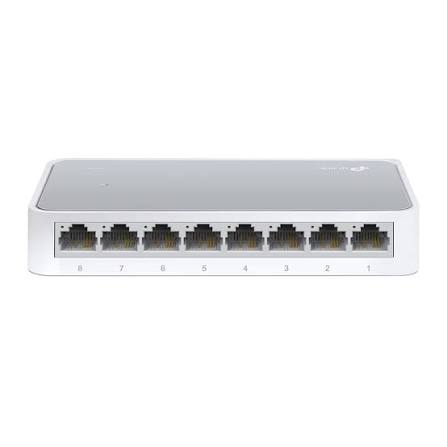
TP-Link
8-Port | Fast Ethernet | Unmanaged
In Stock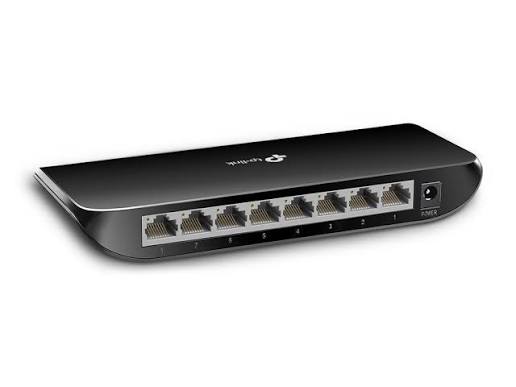
TP-Link
8-Port | Gigabit | Unmanaged
In Stock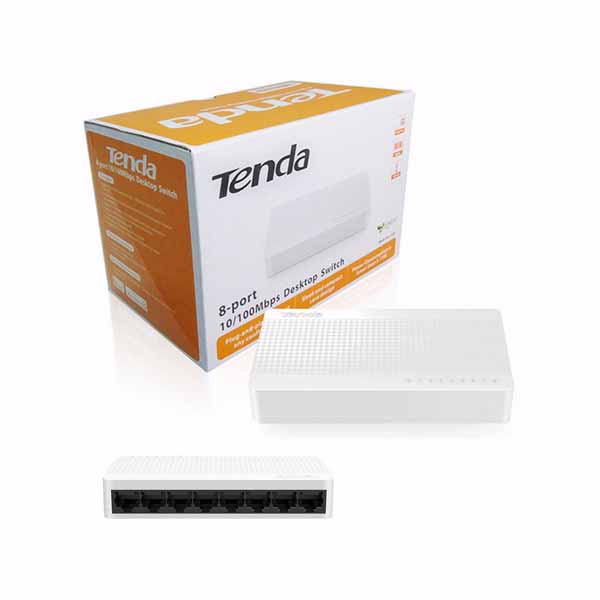
Tenda
8-Port | Fast Ethernet | Unmanaged
In Stock
D-Link
8-Port | Gigabit | Unmanaged
In Stock