Who is this switch best for?
- Office LAN expansion
- CCTV and IP camera networks
- WiFi access point connectivity
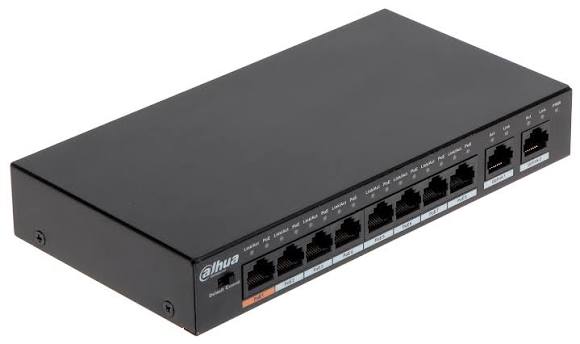
Works with standard Ethernet networking equipment including routers, computers, IP cameras, access points and servers. Confirm port, PoE and mounting requirements before purchase.
Check the product label or manufacturer datasheet for exact input voltage, power adapter and PoE requirements.
The Dahua DH-PFS3010-8ET-96 is a compact networking switch for connecting and powering compatible IP cameras, wireless access points and other PoE devices. It is a practical choice for shops, offices, homes and small commercial surveillance systems where simpler cabling and straightforward installation matter.
Its eight powered connections let compatible devices receive electricity and network data through the same Ethernet cable. Two additional uplinks provide connections to a recorder, router or upstream switch.
The eight PoE ports operate at 10/100Mbps; the two uplinks support Gigabit speeds. This distinction matters when selecting a switch for bandwidth-intensive access points or other equipment requiring Gigabit connectivity at every endpoint. dahuasecurity.com
Request the current price and availability from Network Switch Kenya, specifying the hardware version and your installation requirements.
The DH-PFS3010-8ET-96 uses unmanaged operation, making it suitable for installations that do not require a configurable switch management interface. Basic network switching works automatically, while IP addresses, camera settings and recording schedules are configured on the connected devices.
Check the hardware revision before ordering. Dahua’s older documentation specifies a 60W Hi-PoE first port, while its V2.0 documentation specifies a 90W first port with IEEE 802.3bt support. The following table separates these differences. dahuasecurity.com
Confirm the supplied revision before relying on version-specific features. dahuasecurity.com
PoE simplifies installation by reducing the need for a separate power adapter beside each compatible device. This is useful for cameras mounted on ceilings, corridors or external walls.
Compatibility depends on the device’s power standard and requirements. A passive-PoE device should not be assumed compatible simply because it uses an Ethernet connector.
Separate Connections for Upstream EquipmentThe additional uplinks allow installers to connect upstream equipment while retaining the powered connections for endpoints.
Connect a recorder and the wider network according to the planned topology. The recorder’s supported camera count and incoming bandwidth remain separate limits that must be checked.
Extended Cable OperationExtended operation can help with camera locations beyond an ordinary Ethernet channel’s reach. However, Dahua’s V2.0 test table shows 10Mbps operation at extended distances of 150–250m, with results dependent on the cable and connected load. Treat the maximum distance as a conditional capability rather than a guaranteed result for every installation. material.dahuasecurity.com
For longer or more demanding links, assess fibre or an intermediate network connection instead of assuming extended mode will meet the required bitrate.
Compact InstallationThe small enclosure makes this switch convenient for installations with limited equipment space. Position it where cabling is accessible and ventilation remains clear.
For additional connections that do not require PoE power, explore the TP-Link TL-SG1008D Gigabit Desktop Switch.
The Dahua DH-PFS3010-8ET-96 can be considered for:
For access points expected to deliver high wireless throughput, a switch with Gigabit powered ports may be more suitable.
The shared budget must cover the combined demand of all powered devices. A high maximum on one port does not mean the remaining ports can simultaneously deliver their individual maximums.
For example, eight devices consuming 8W each would require 64W before cable losses. Eight devices consuming 15W each would require 120W, exceeding the stated shared budget.
Use maximum device consumption rather than typical daytime consumption. Allow for cable losses and features such as infrared illumination, heaters or motorised camera movement.
Inspect the product label and identify its hardware version. Check each connected device’s required PoE standard, maximum power demand and network speed.
Prepare suitable Cat5e or Cat6 cabling and test completed cable runs before connecting equipment.
2. Position the SwitchPlace the switch on a stable surface in a dry, ventilated location. Avoid covering vents or placing it beside a significant heat source.
Use mounting arrangements supported by the supplied version and installation instructions. Provide enough space for the power connector and Ethernet cables.
3. Connect the Correct Power SupplyUse the manufacturer-specified power adapter for the supplied unit. Voltage alone is insufficient to confirm suitability: connector polarity, current capacity and the adapter’s rating also matter.
A suitably sized UPS can support the switch, connected devices and recorder during a mains interruption.
4. Connect the Upstream NetworkConnect one uplink to the appropriate router LAN port or upstream switch. Connect the recorder according to your network plan.
Begin with a single upstream path. Avoid creating loops by connecting multiple cables between switches without a deliberate loop-prevention design.
5. Connect Powered DevicesConnect devices individually to the PoE ports and check that each starts successfully.
Reserve the designated high-power port for equipment that needs it, after confirming both compatibility and the remaining shared power allowance.
6. Configure Cameras and Other EndpointsNo switch login is needed for basic unmanaged operation. Configure the connected equipment separately.
For cameras, activate each unit, create a strong password, assign a unique IP address and add it to the recorder. Use a documented address plan or DHCP reservations where appropriate.
7. Enable Extended Operation Only When RequiredStart with normal operation. If an installation requires extended mode, follow the supplied revision’s instructions and verify that the reduced bandwidth accommodates the connected device.
Test the actual cable run and device together before completing installation.
8. Test Under Full LoadCheck all camera streams simultaneously and confirm recording, playback and remote access.
Test night operation where applicable. If devices restart or lose power, investigate the combined power demand, adapter, cable quality and connectors.
9. Label the InstallationLabel each cable and document the port assignment, device address and cable route. Keep equipment credentials securely for future servicing.
For a Gigabit networking alternative, review the TP-Link 8-Port Gigabit Switch at Orbitlink Solutions. Confirm whether the exact listed model provides PoE before choosing it for powered devices.
For a managed networking option, consider the UniFi Lite 8 PoE at Ubiquiti UniFi Kenya, checking its powered-port count, budget and management requirements.
You can also compare the D-Link DGS-F1010P-E 8-Port PoE Switch at Tawa. Compare the exact specifications against your device load and installation plan.
Confirm whether the quotation includes the correct power adapter, mains cable and mounting accessories.
Ethernet cables, cameras, recording equipment, UPS equipment and installation services should be specified separately unless expressly included.
Its uplinks support Gigabit connectivity, while its powered endpoint ports operate at 10/100Mbps.
Can it power cameras from other manufacturers?Potentially, provided their PoE standards and power requirements match the supplied switch version and available budget.
Can all eight devices run at maximum port power?No. Their combined demand must remain within the shared power allowance.
Does it need internet access to record cameras?Local recording can operate without internet when the cameras and recorder are correctly configured. Remote access requires an appropriate internet connection.
Request a quotation from Network Switch Kenya with your camera count, maximum device power requirements and cable distances. Confirm the hardware revision, supplied accessories and warranty terms before ordering.
Dahua DH-PFS3010-8ET-96 8-Port PoE Switch Price in Kenya is currently listed as available. Stock can change, so confirm availability before placing a large order.
The current listed price is KSh 12,000.00. Prices are generated from the product catalogue and may change when inventory is updated.
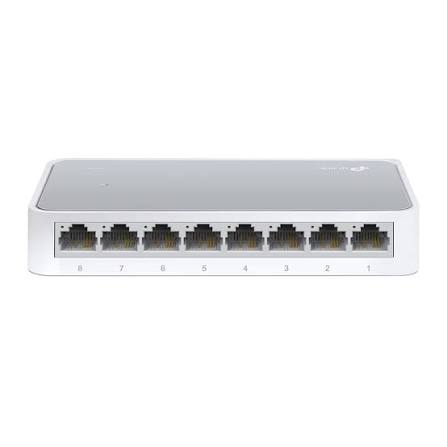
TP-Link
8-Port | Fast Ethernet | Unmanaged
In Stock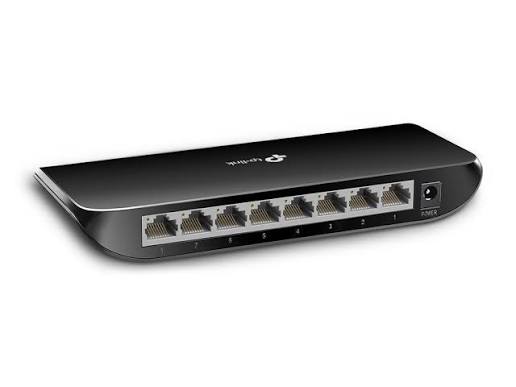
TP-Link
8-Port | Gigabit | Unmanaged
In Stock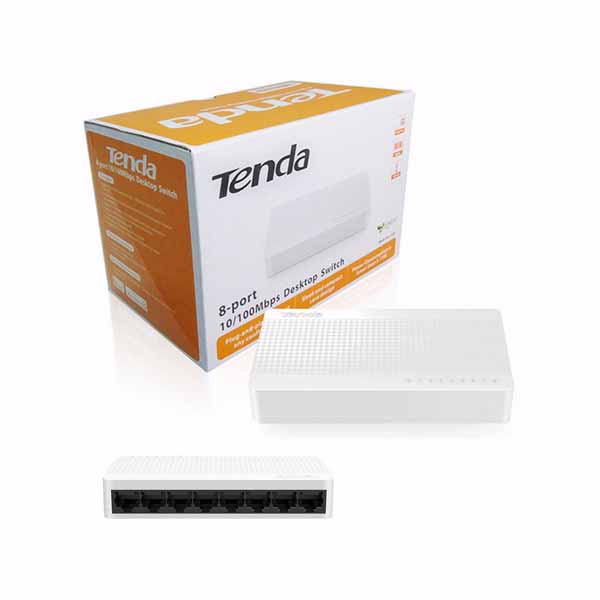
Tenda
8-Port | Fast Ethernet | Unmanaged
In Stock
D-Link
8-Port | Gigabit | Unmanaged
In Stock