Who is this switch best for?
- Office LAN expansion
- CCTV and IP camera networks
- WiFi access point connectivity

Works with standard Ethernet networking equipment including routers, computers, IP cameras, access points and servers. Confirm port, PoE and mounting requirements before purchase.
Check the product label or manufacturer datasheet for exact input voltage, power adapter and PoE requirements.
The D-Link DGS-1100-08 is a smart-managed Ethernet switch for homes, small offices, shops and other installations that need additional wired connections with configurable network controls. It connects computers, printers, network storage and separately powered equipment while giving administrators more flexibility than an unmanaged switch.
Its browser-based management interface supports network organization and troubleshooting without requiring a full enterprise switching platform. This makes it suitable for smaller installations where administrators want control over connections, traffic separation and network behavior.
Request the current D-Link DGS-1100-08 price in Kenya from Network Switch Kenya, including confirmation of the hardware revision, supplied accessories and warranty terms.
The DGS-1100-08 provides eight Gigabit Ethernet ports. One port normally connects upstream to a router or another switch, leaving seven for directly connected endpoint devices.
This is a non-PoE model. Connected cameras, phones and access points require their own appropriate power source. Do not confuse the DGS-1100-08 with the DGS-1100-08P PoE model or assume that documentation for a V2 version applies unchanged.
D-Link publishes documentation for different hardware revisions. The physical specifications below follow its Revision B manual; confirm the supplied unit before selecting firmware or replacement accessories. support.dlink.com
Specifications and features are drawn from D-Link’s model page and Revision B documentation. support.dlink.com
Gigabit connectivity is useful when computers transfer files, access local storage or communicate with other suitably equipped devices.
Performance depends on the complete connection path. Network adapters, storage devices, cables and upstream equipment can all limit the results. Installing a Gigabit switch does not increase the speed supplied by an internet subscription.
Web-Based Network ManagementThe management interface lets administrators configure supported settings through a browser. It provides more control than a switch designed solely for automatic, unmanaged operation.
For buyers, the main distinction is whether those controls are needed. A managed installation requires planning and documentation, especially when settings affect several connected devices.
If straightforward wired expansion is sufficient, compare the TP-Link TL-SG1008D Gigabit Desktop Switch.
VLANs for Organizing TrafficVLAN configuration allows a compatible network to separate traffic into logical groups. For example, a business may want office equipment and surveillance devices in different network segments.
The complete design must include suitable router, DHCP and access-point settings. Creating a VLAN on one switch alone does not establish all the services or security policies needed by that segment.
Traffic and Multicast ControlsD-Link documents storm-control and multicast-handling functions for this product family. These can help administrators manage specific traffic conditions when configured appropriately.
Such features should follow an actual network requirement. Applying restrictive settings without testing may interrupt applications that depend on the affected traffic.
Troubleshooting ToolsCable diagnostics and loopback detection can help investigate physical connection problems and accidental loops. D-Link describes loopback detection as a mechanism that can disable an affected port when a loop is detected. D-Link
These tools complement a documented installation. They do not remove the need to inspect connectors, test cables and understand how switches are connected.
Compact, Quiet PlacementThe small enclosure fits installations with limited equipment space. Fanless operation is useful near desks and work areas.
Keep ventilation openings clear and avoid enclosed locations where heat can accumulate.
Connect workstations, printers and local resources while retaining configurable network controls.
An upstream router provides internet gateway services and any required firewall policies.
Home OfficesBring a computer, printer, storage device and other Ethernet equipment together in one workspace. This can be useful when only one cable reaches the room from the main router.
Retail and Administrative AreasConnect suitable business equipment and apply a planned network arrangement. Payment systems and other sensitive devices should follow the requirements of the complete network and service provider.
Surveillance NetworksCarry traffic between separately powered cameras and recording equipment. Confirm camera addressing, recording bandwidth and recorder capacity independently of the switch.
Learning and Test NetworksThe switch can support practical work with managed network concepts. Keep experimental configurations separate from a production network to prevent unintended service interruptions.
Port availability is important when selecting an eight-port switch.
Example installationPorts usedPorts remainingRouter, four computers and one printer62Router, five computers, printer and storage device80Upstream switch and seven endpoints80Allow capacity for future equipment. If all ports are occupied from the start, a larger switch may be a more practical purchase.
The connection to the upstream network also carries the combined traffic that needs to cross it. Several active devices may share that capacity even when every endpoint has a Gigabit connection.
Read the model and hardware revision from the product label. Obtain the matching installation guide and firmware.
Record the existing configuration before changing a unit already in service. Avoid factory-resetting an installed switch simply to discover its management address.
2. Plan the NetworkList connected equipment, cable routes and upstream connections. Decide whether you need separate traffic groups or other managed controls.
Prepare tested Cat5e or Cat6 cables. Identify equipment needing a separate power adapter or injector.
3. Position and Power the SwitchPlace the switch on a stable surface or use a mounting arrangement permitted by its installation guide.
Connect the correct power adapter. For a replacement, verify voltage, polarity, current rating and connector dimensions against the unit’s label.
4. Establish Initial Management AccessFollow the first-login instructions for the exact hardware revision. Use the documented address or a compatible D-Link discovery utility where applicable.
If a direct connection is required, assign the computer an unused address in the documented management subnet. Keep initial setup isolated if the default address could conflict with another device.
Use the credentials specified for that revision, then change the management password.
5. Set a Predictable Management AddressChoose an address that fits the network plan and does not duplicate another device. Record it securely.
Before changing management addressing or VLAN membership, retain a recovery path so that configuration changes do not leave you unable to reconnect.
6. Connect the Upstream NetworkConnect one port to the router’s LAN or the appropriate upstream switch.
Begin with one connection between switches. Do not add parallel cables unless the configuration deliberately supports them.
7. Configure VLAN Membership Where RequiredFor a typical tagged network design:
Keep management access available while making changes. Test each segment before moving additional devices onto it.
8. Configure Additional Controls CarefullyApply traffic settings and loop-protection features according to the installation’s requirements.
Static aggregation requires matching configuration at the opposite end. It should not be treated as an automatic method of multiplying the speed of a single application.
9. Save and Back UpThe Revision B manual documents Save Menu → Save Configuration for writing the current configuration to flash. It also provides configuration backup and restore functions. support.dlink.com
Keep a backup after successful testing and before major changes.
10. Test the Complete InstallationVerify internet access, local resources and any intended traffic separation.
Check printers, storage access and camera recording as applicable. Label the cables and retain a port map, management address and record of configuration changes.
For managed networking with integrated device power, review the UniFi Pro 8 PoE at Ubiquiti UniFi Kenya. Compare its interfaces, power capacity and management requirements against the project.
For simpler wired expansion, assess the TP-Link 8-Port Gigabit Switch at Orbitlink Solutions, confirming the exact listed model.
The D-Link DGS-108 Unmanaged Desktop Switch at Tawa is another option where configurable smart-switch controls are unnecessary.
For surveillance installations requiring Ethernet-delivered power, compare the Dahua 8-Port Fast Ethernet PoE Switch at Reisen SEO. Check its exact model, port speeds and power budget separately.
Confirm that the quotation includes the correct adapter and documentation for the supplied hardware revision.
Specify Ethernet cables, UPS equipment, injectors and installation services separately unless expressly included. Confirm mounting accessories, product condition and warranty coverage before ordering.
No. The standard DGS-1100-08 is a non-PoE model.
Is it the same as the DGS-108?No. The DGS-1100-08 provides smart-management controls, while the DGS-108 is an unmanaged alternative.
How many endpoints can connect alongside a router?With one port used upstream, seven remain for directly connected equipment.
Does it require a cloud account?Local web management is available. Follow the instructions for the supplied revision.
Can it increase internet speed?It can remove a slower local connection where that is the bottleneck. It cannot increase the speed provided by the internet service.
Can it connect equipment from different brands?Yes, when the equipment uses compatible Ethernet connections. Application settings, power and advanced network configuration still need to match.
Contact Network Switch Kenya for a quotation on the D-Link DGS-1100-08 8-Port Gigabit Smart Switch. Share your device count and management requirements, and confirm the exact hardware revision before purchase.
D-Link DGS-1100-08 8-Port Gigabit Smart Switch Price in Kenya is currently listed as available. Stock can change, so confirm availability before placing a large order.
The current listed price is KSh 7,500.00. Prices are generated from the product catalogue and may change when inventory is updated.
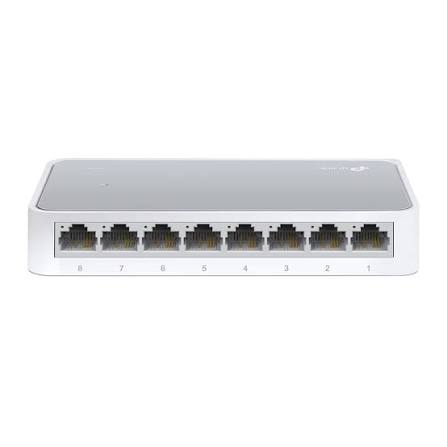
TP-Link
8-Port | Fast Ethernet | Unmanaged
In Stock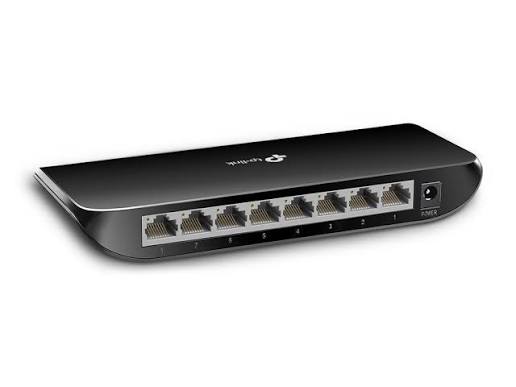
TP-Link
8-Port | Gigabit | Unmanaged
In Stock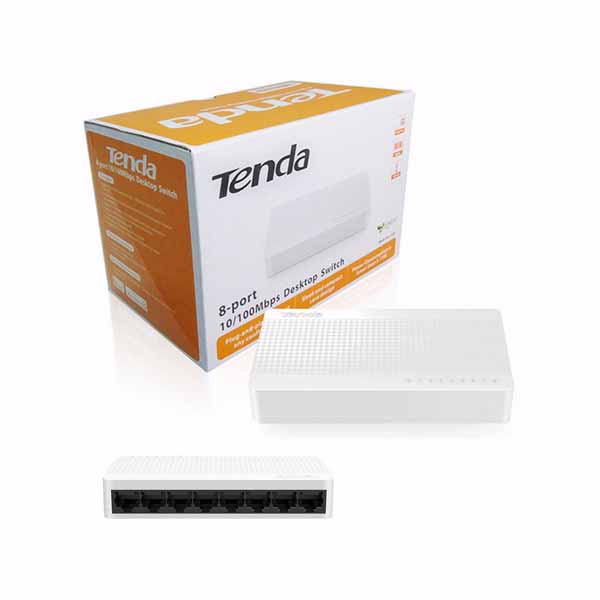
Tenda
8-Port | Fast Ethernet | Unmanaged
In Stock
D-Link
8-Port | Gigabit | Unmanaged
In Stock